


Device infrastructure for physical AI
Operate every device with confidence
Peridio Core is the control plane: ship over-the-air updates, observe the fleet, open a tunnel to any device, and manage the lifecycle from development through production.
Lifecycle
One platform across the device lifecycle
One platform from development to production release to manufacturing to field deployments: one comprehensive toolchain, with no infrastructure to rebuild between the stages.
Development
Build the runtime and iterate on the hardware you intend to ship.
Production release
Cut a runtime, put it in front of a cohort, and promote it once it holds.
Manufacturing
Give each unit an identity on the line, so it arrives already known to the platform.
Field deployments
Operate what is deployed: device state, updates, and access to any unit.
OTA
Ship over-the-air updates to a fleet
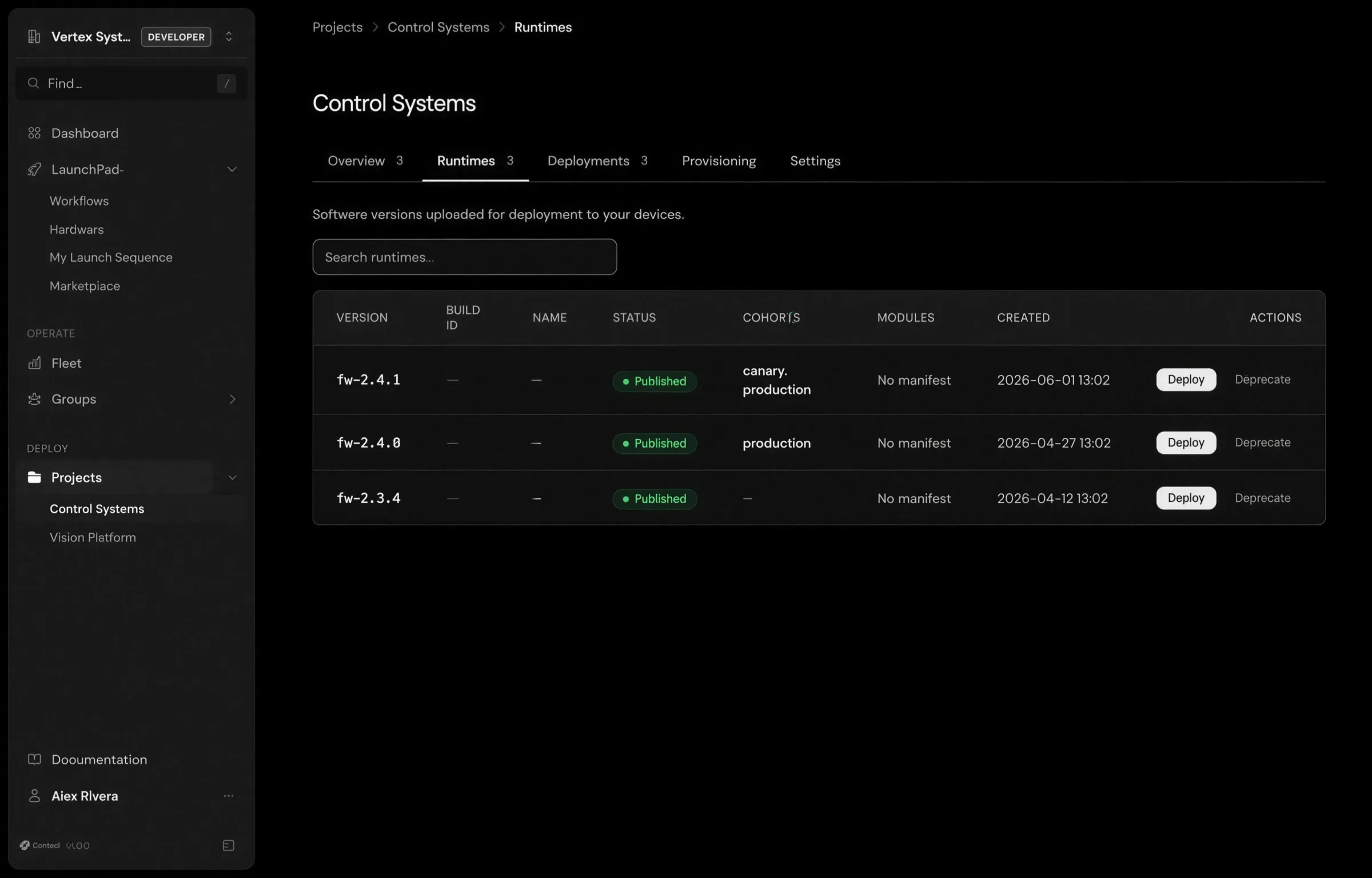
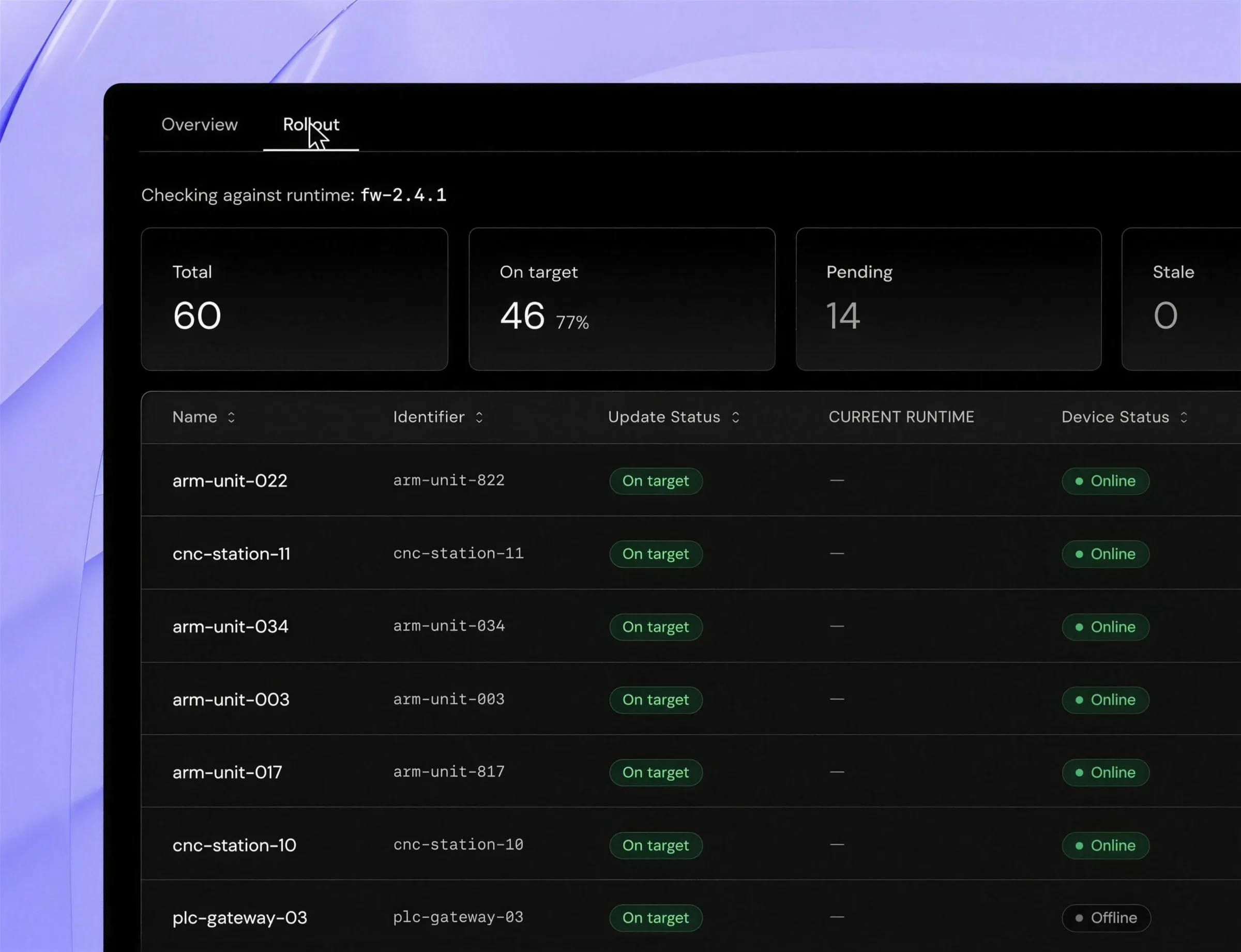
Upload a runtime once, choose which devices get it, and follow the rollout from the console.
Upload a runtime
Publish the runtime you built. One artifact, uploaded once, is what every targeted device draws from.
Select devices or cohorts
Target individual devices, or a cohort you define: canary, staging, production. Put a runtime in front of the smaller group first and promote it once it holds.
Deploy and monitor the rollout
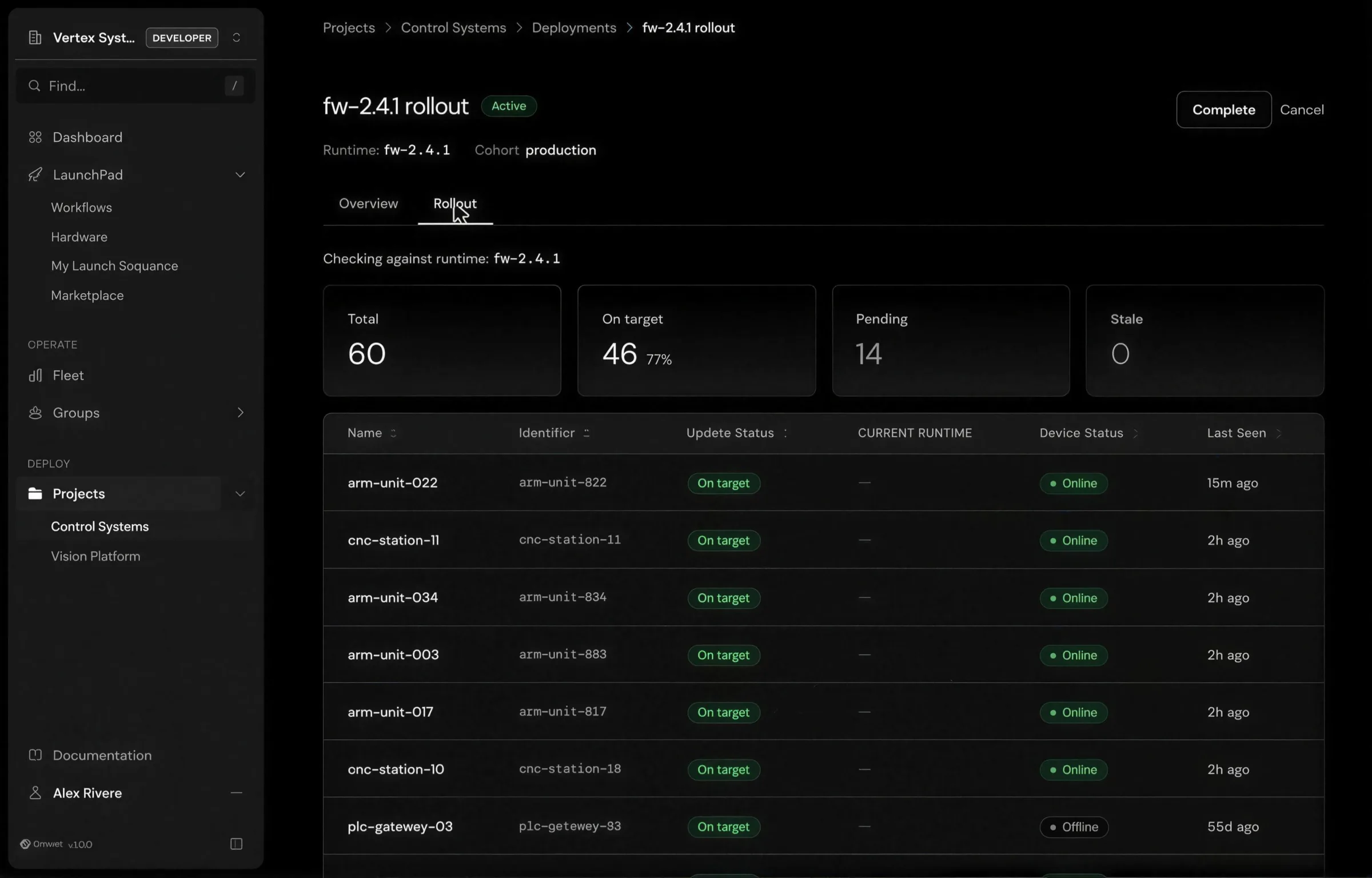
Start the deployment and follow it per device from the console: which units are on the new runtime, which are still pending, and which have not taken it.
Remote operations
Reach devices securely
Request a tunnel to a device from the console or the API. Every tunnel runs over WireGuard, and it gives you SSH on the unit plus passthrough to other services running on it.
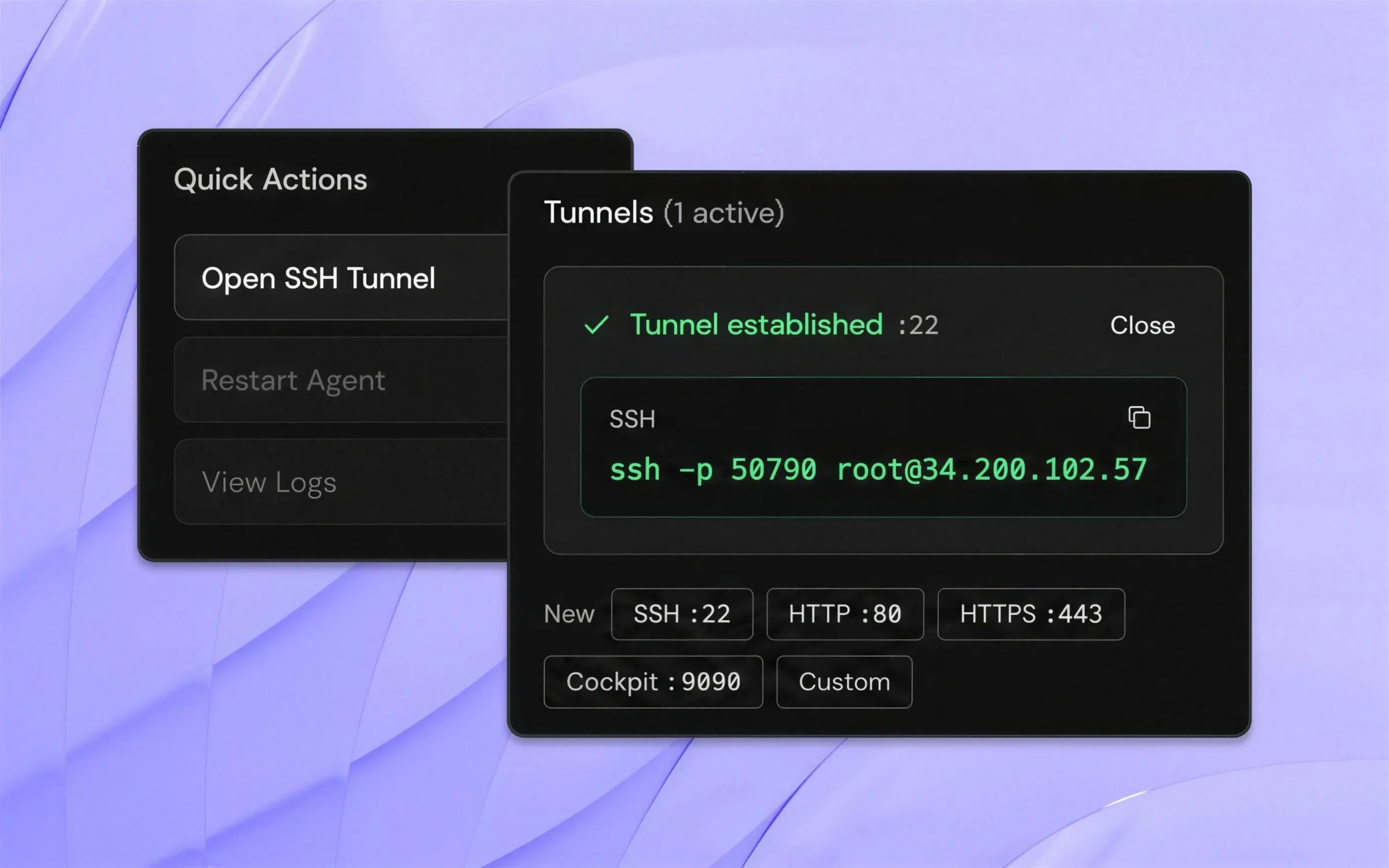
Request a tunnel from the device page
Open a tunnel on the device you are already looking at and pick the port you need. The same request is available from the API, so the tunnel a person opens in the console and the one a script opens are the same tunnel.
Ports you can expose
- SSH:22
- HTTP:80
- HTTPS:443
- Cockpit:9090
- Custom
A shell on the device
SSH through the tunnel to the unit itself, wherever it is deployed.
Passthrough to other services
Reach a web interface, a debug endpoint, or anything else listening on that device.
From the console or the API
Request access by hand when you are looking at a device, or from a script.
Observability
Observe the fleet and what runs on it
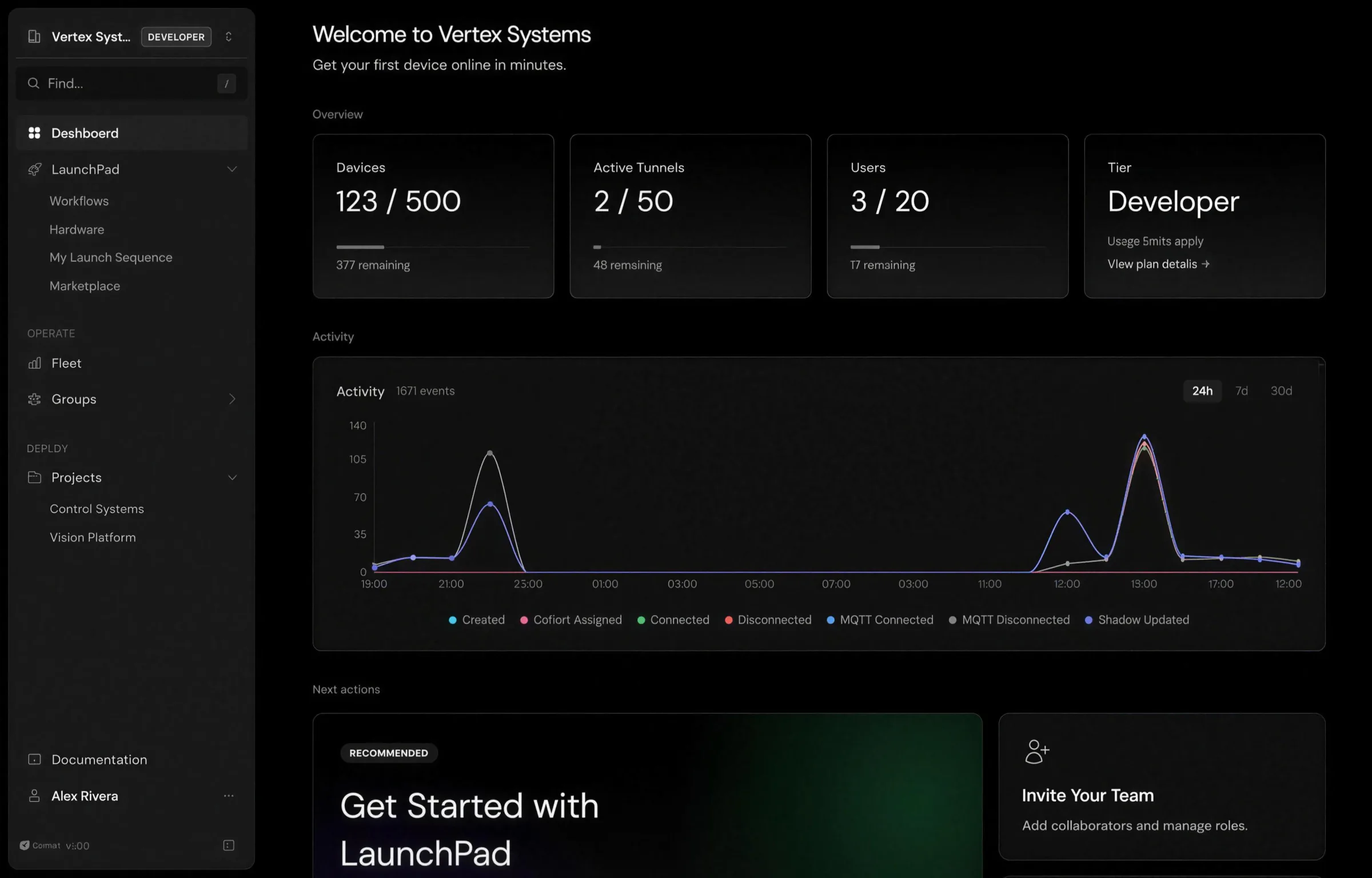
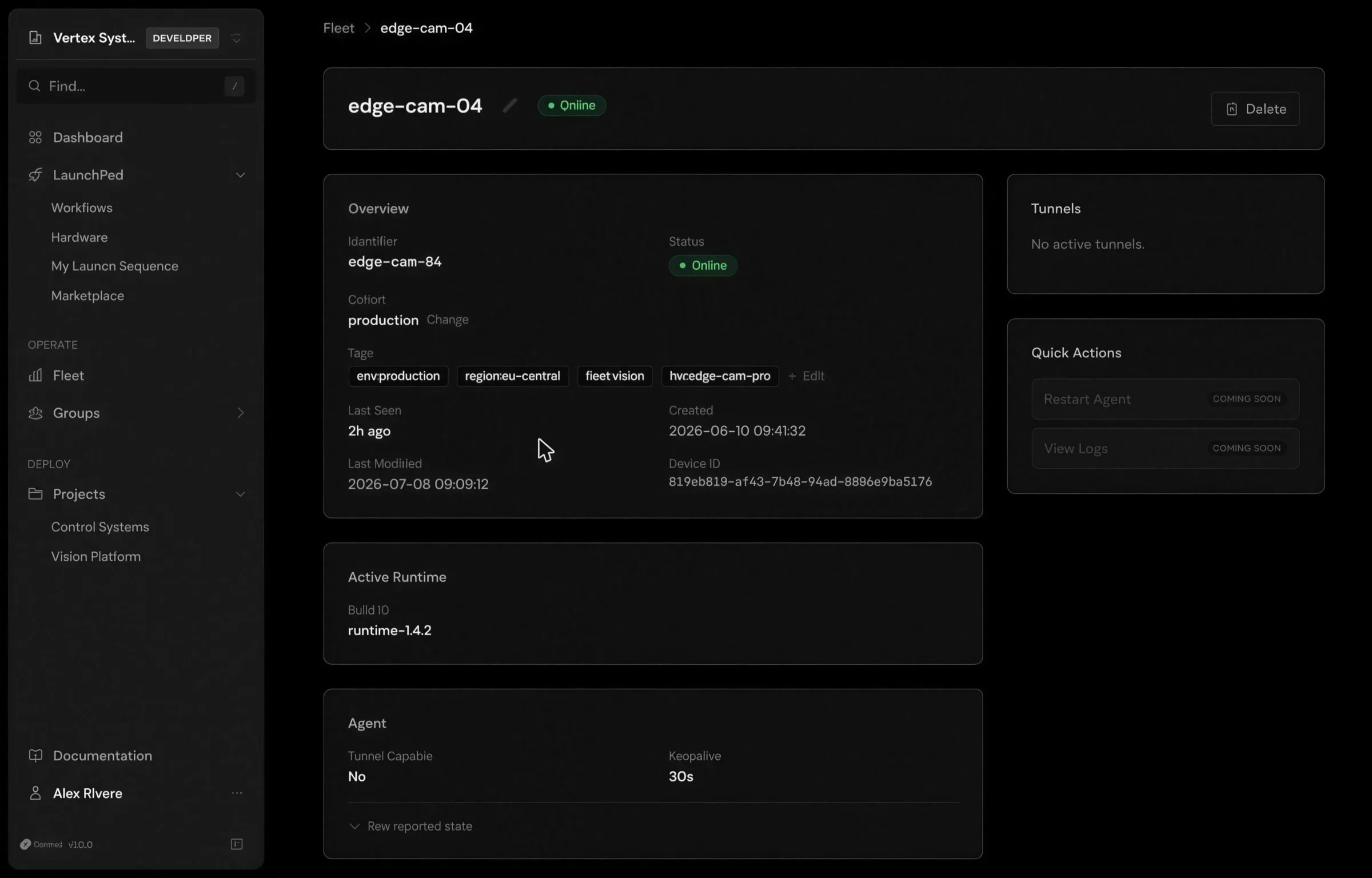
Two console views that answer the same question from different distances: the whole fleet, and a single unit in it.
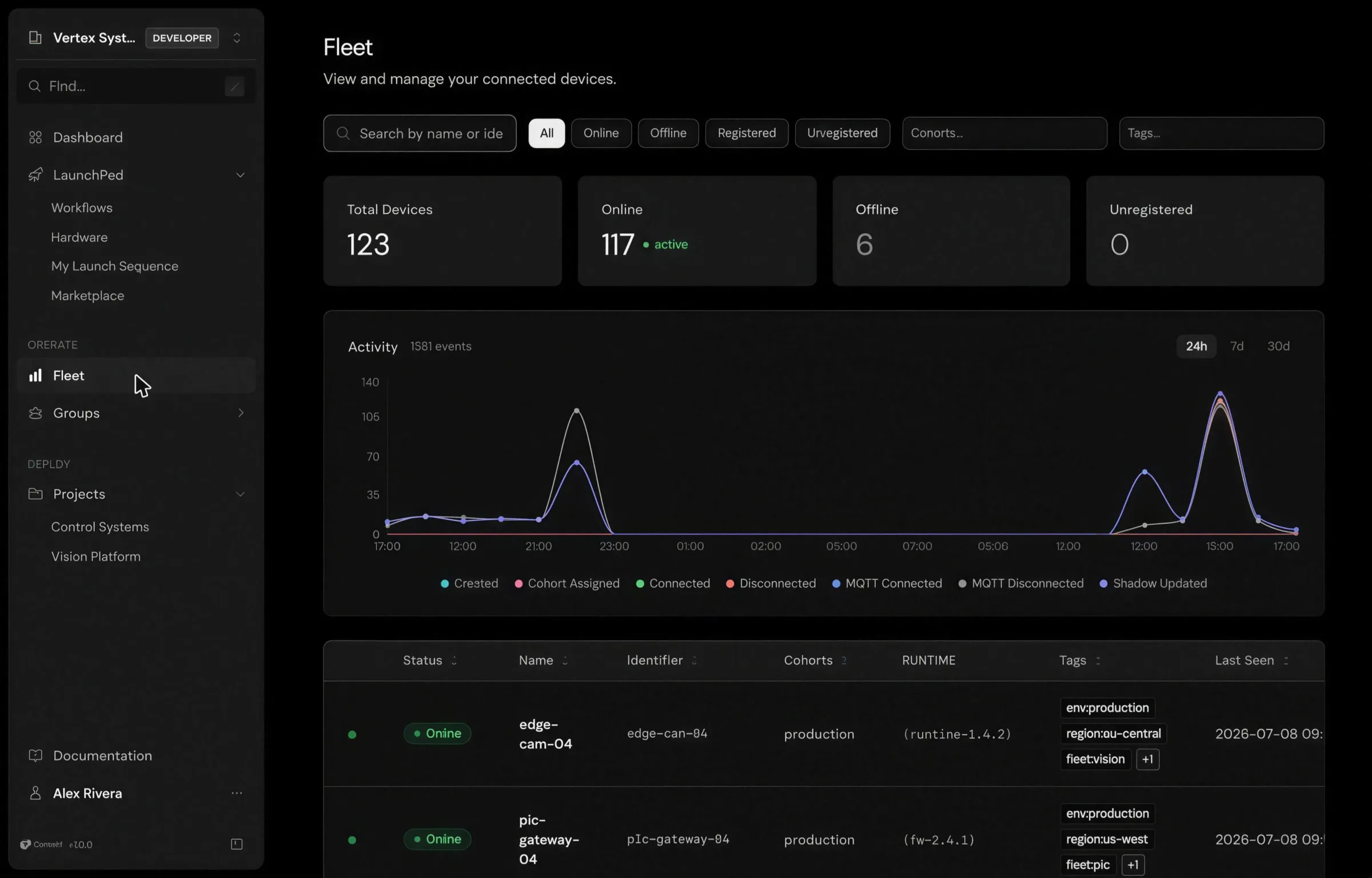
Every unit in one view: online or offline, what has been happening across the fleet, and what each device is running.
Drill into one device: status, cohort, tags, active runtime, and agent configuration without leaving the console.
Architecture
How Avocado OS and Peridio Core fit together
Avocado OS is the runtime on the device. Peridio Core is the management application that operates it. Two pieces, one line between them.
The runtime · On the device
Your application
You own- Containers
- ROS workspace
- Models
System extensions
You extend- Custom kernel
- K-mods
- ROS
- CUDA / TensorRT
Immutable base
We maintain- Reproducible
- Secure
- A/B partitioned
TargetsNVIDIA JetsonNXP i.MXRaspberry PiSynapticsRenesas RZ
Core sends work to the device: a runtime to install, a tunnel to open. The device connects out and reports what it is running.
The management plane · Console: Avocado Connect
Fleet visibility
Online, offline, and what each device is running.
OTA & rollouts
One runtime to a cohort, promoted once it holds, followed per device.
Observability
Fleet state, log capture, and per-service health.
Remote access
Requested from the console. The device connects out over WireGuard.
REST API
White-label your own portal.
One pipeline, bench to fleet · The image you flash on the desk is the image Core ships to thousands
Get started
Start operating your fleet
Bring your hardware, fleet size, and timeline.
Read the docs
Deployments, cohorts, tunnels, and the CLI, documented end to end.
Create a free account
The Developer tier is free.
Register a device and push your first release.