


Get the Avocado toolchain
Everything you need to build, flash, and update Avocado OS on real hardware. Start with the desktop app if you want the toolchain bundled and driven for you, or the CLI if you want it in your shell and your CI.
 Avocado Desktop

Avocado Desktop
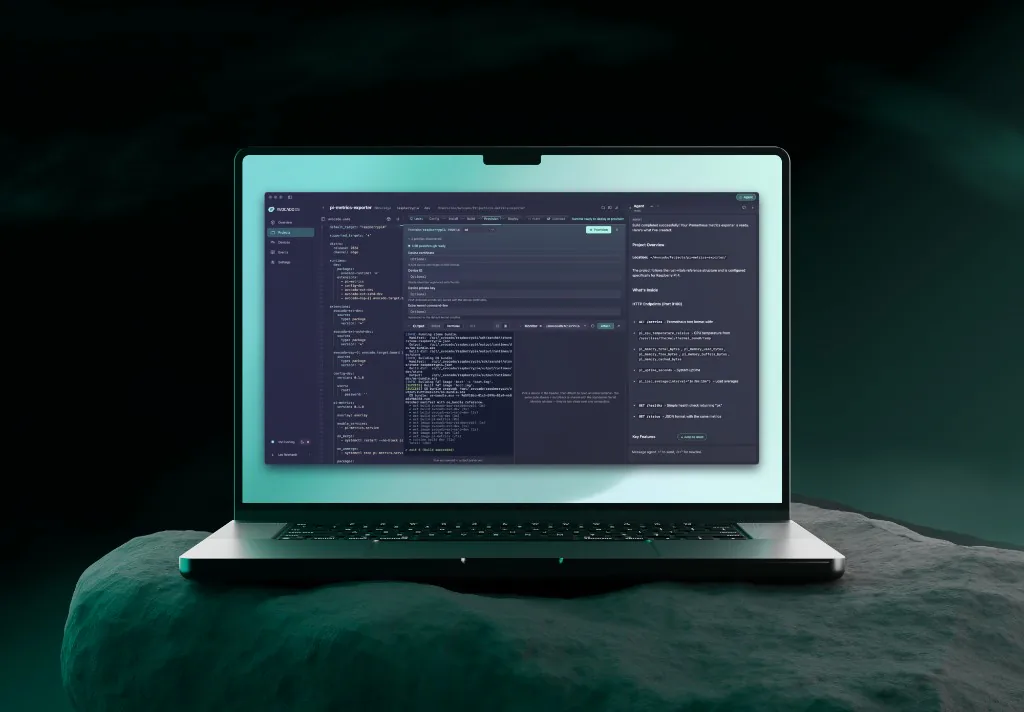
A native app that bundles the whole toolchain. Describe what you want and a built-in agent edits config, cross-compiles, builds the image, and writes it to hardware.
macOS13.0+
Universalv1.0.0-rc.7 · Apple Silicon & Intel · published 2026-08-19
- A bundled cross-compilation toolchain, with a build VM on macOS
- Hardware provisioning over USB and SD card
- A developer-preview AI agent wired to the Avocado MCP
The macOS app self-updates in place. The deb, rpm and pacman packages are upgraded by installing the next release.
Linux
- x86_64deb82.4 MiB
- x86_64rpm82.6 MiB
- x86_64pacman11.1 MiB
Install with pacman -U. Links the system avocado-cli from the AUR instead of bundling the toolchain, so it needs that package installed first. The AI agent also falls back to npx, so it needs host npm and network access the first time you use it.
v1.0.0-rc.7 · published 2026-08-19
Every build needs WebKitGTK 4.1, which ships on Ubuntu 22.04+, Debian 12+, and current Fedora and Arch. Builds run on the host's Docker on Linux rather than in the bundled VM macOS uses, so Docker has to be installed. USB passthrough additionally needs your distribution's usbip tools.
Avocado CLI
Built for builds, automation, CI, and headless Linux. One command installs it; the same binary drives init, install, build, and provision, so your local workflow and pipelines stay in sync.
Install
Detects your platform, fetches the matching build, and puts avocado on your PATH. Runs on macOS and Linux, and on Windows from a POSIX shell (Git Bash, MSYS2, or WSL).
$ curl -fsSL https://connect.peridio.com/install.sh | shAll platforms6 builds · v1.0.0-rc.5
tar.gz · SHA-256- macOSApple Siliconaarch64-apple-darwin8.3 MiBDownload Avocado CLI 1.0.0-rc.5 for macOS Apple Silicon
- macOSIntelx86_64-apple-darwin9.0 MiBDownload Avocado CLI 1.0.0-rc.5 for macOS Intel
- Linuxx86_64gnux86_64-unknown-linux-gnu9.1 MiBDownload Avocado CLI 1.0.0-rc.5 for Linux x86_64 (gnu)
- Linuxx86_64muslx86_64-unknown-linux-musl9.4 MiBDownload Avocado CLI 1.0.0-rc.5 for Linux x86_64 (musl)
- Linuxaarch64muslaarch64-unknown-linux-musl8.9 MiBDownload Avocado CLI 1.0.0-rc.5 for Linux aarch64 (musl)
- Windowsx86_64x86_64-pc-windows-msvc8.1 MiBDownload Avocado CLI 1.0.0-rc.5 for Windows x86_64
Linux ships both a glibc and a static musl build. Pick musl for containers, minimal images, and unknown glibc versions.
Avocado OS MCP
Give a coding agent the toolchain. It resolves hardware names to targets, searches the live package feed, writes and validates avocado.yaml, runs builds, provisions boards, and reads a serial console when one won't boot.
Agent
ready
Add the MCP server to your agent
Nothing to keep on disk, no version to pin, and no API key to issue.
Your clientRun this once in your project, and Claude Code registers the server.
$ claude mcp add avocado-os -- npx -y github:avocado-linux/avocado-mcpAdd -s user (claude mcp add -s user …) to register it for every project instead of this one.
Add this to claude_desktop_config.json.
{
  "mcpServers": {
    "avocado-os": {
      "command": "npx",
      "args": ["-y", "github:avocado-linux/avocado-mcp"]
    }
  }
}
Run this once in your project, and OpenAI Codex registers the server.
$ codex mcp add avocado-os -- npx -y github:avocado-linux/avocado-mcpEquivalent to adding an [mcp_servers.avocado-os] block to ~/.codex/config.toml by hand.
Add this to ~/.cursor/mcp.json.
{
  "mcpServers": {
    "avocado-os": {
      "command": "npx",
      "args": ["-y", "github:avocado-linux/avocado-mcp"]
    }
  }
}
Use .cursor/mcp.json inside a repository to scope the server to that project.
Add this to .vscode/mcp.json.
{
  "servers": {
    "avocado-os": {
      "command": "npx",
      "args": ["-y", "github:avocado-linux/avocado-mcp"]
    }
  }
}
Copilot agent mode. The root key is servers here, not mcpServers. The rest is identical.
- Requires
- Node.js 20+
- Transport
- stdio
- On main
- v5.2.1 · 2026-08-05
- License
- Apache-2.0
Guided workflows your agent can run8 prompts · 26 tools · 16 skillsslash commands
- /start-avocado-project
- Check the host, pick a target, and generate avocado.yaml for a new project.
- /provision-device
- First flash, build, provision, then verify power-on over UART.
- /build-and-deploy
- The iteration loop: build, deploy to a running device, verify on the device.
- /debug-build-failure
- Recover a failed avocado install or build from its log patterns.
- /debug-device
- Debug a board over UART through a tmux-driven serial session.
- /debug-device-ssh
- Debug over SSH, once the device is known healthy and on the network.
- /setup-connect
- Wire a project up for fleet OTA updates through Avocado Connect.
- /package-coverage
- Score a Dockerfile or SBOM against the live Avocado package feed.
Behind the prompts sit 26 tools the agent calls on its own (target resolution, package search, YAML validation, provisioning steps, serial debugging) and 16 skill resources it reads first so its answers match how Avocado OS actually works.
Running Avocado Desktop? It serves a second MCP
Avocado Desktop exposes its own server over HTTP at http://127.0.0.1:11551/mcp while the app is open, which hands an agent the build VM, the connected devices, and the provisioning flow it is already driving. It is bound to loopback (nothing leaves your machine) and it sits alongside the server above rather than replacing it.
$ claude mcp add --transport http avocado-desktop http://127.0.0.1:11551/mcpThere's no image to download: you build it
Avocado doesn't ship prebuilt board images. Hardware support arrives as a published package feed that the CLI pulls at build time, so you pick a target and build the image yourself. That's what keeps one project buildable across every board below.
See the 13 supported targets and the build sequenceNVIDIA Jetson · NXP i.MX · Raspberry Pi · Synaptics · Renesas RZ
13 supported targets
- NVIDIA Jetson
- Orin NX
jetson-orin-nx - Orin Nanoguide
jetson-orin-nano - Jetson NX
jetson-nx - Jetson AGX
jetson-agx - Jetson AGX Thor
jetson-agx-thor
- NXP i.MX
- i.MX 8M Plus
imx8m-plus - i.MX 93
imx93 - i.MX 95
imx95
- Raspberry Pi
- Compute Module 4
rpi-cm4 - Compute Module 5
rpi-cm5
- Synaptics
- Grinn AstraSOM-1680
astra-som-1680
- Renesas RZ
- RZ/G2L
rz-g2l - RZ/V2H
rz-v2h
Zero to bootable
From an empty directory to an image written to hardware. Swap the target and the same project builds for a different board.
avocado init --target jetson-orin-nano-devkit my-device
cd my-device
avocado install -f
avocado build
avocado provision -r dev --profile tegraflash
Shown for the Jetson Orin Nano Developer Kit. The --profile on the last line selects the flashing tool and differs per target: pick yours.
No hardware yet?
Build and boot Avocado OS in a VM first. Same toolchain, same commands, target qemux86-64.
What you're getting
Desktop and the CLI are release candidates on the road to 1.0; the MCP server ships continuously from main. Every version here is pinned at build time, so it names exactly what this page links to.
Avocado Desktop
- Published
- 2026-08-19
- Platforms
- macOS 13.0+ (universal) and LinuxLinux v1.0.0-rc.7 · 2026-08-19
The macOS app self-updates in place. The deb, rpm and pacman packages are upgraded by installing the next release. No published checksum manifest for this channel.
Avocado CLI
- Published
- 2026-09-18
- Platforms
- macOS, Linux, and Windows
Every shipping artifact has a SHA-256 sidecar plus an aggregate SHA256SUMS.
Avocado OS MCP
- Checked
- 2026-08-05
- Platforms
- Any host with Node.js 20+
Runs from main on demand, so there is no tagged artifact and nothing to checksum.
Verify a CLI download
Download SHA256SUMS into the same directory as the tarball, then check it. Every digest is also printed in the artifact table above.
$ shasum -a 256 -c SHA256SUMS --ignore-missingOn Linux the command is sha256sum -c. Expect OK for the file you fetched.
Release notes & changelog
Platform changes land in the Peridio changelog; CLI changes are attached to each GitHub release. The MCP server has no tags, so its history is the commit log.